
Step-by-Step Guide to Convert YouTube Video to Text Online for Free
Step-by-Step Guide to Convert YouTube Video to Text Online for Free
Admin 2024-12-16
Why Convert YouTube Videos to Text?
Changing YouTube videos into text or transcripts can significantly enhance your content creation workflow and learning efficiency. You might wonder why this is necessary when you can just watch the video. Let's explore some compelling reasons.
Content Repurposing: This is the biggest benefit for creators. You can turn video scripts into written content like blog posts, Twitter threads, or LinkedIn articles. This allows you to reach different audiences and maximize the value of your content without creating from scratch.
Study and Research: For students and researchers, reading is often faster than watching. Converting a 20-minute lecture into text allows you to skim for keywords, find quotes, and summarize main points in seconds.
Search Engine Optimization (SEO): Google can't "watch" videos, but it can index text. Publishing the transcript alongside your embedded video can enhance your SEO, making your content more discoverable.
Accessibility: Text transcripts assist people who prefer reading or have hearing impairments. It ensures your content is inclusive and accessible to everyone.
Language Translation: Once you have the text, you can easily translate it using AI tools. This allows you to reach a global audience by offering content in multiple languages.
By converting YouTube videos to text, you unlock the data inside the video. So, why not turn your video into text and reap these benefits?
Step-by-Step Guide to Turn YouTube to Text
Want to extract the script from a YouTube video? Let's learn how with this easy guide.
Step 1: Picking a Free Online Tool
First, choose a suitable tool. While there are voice-to-text recorders, they require you to play the audio out loud. For YouTube, the best method is direct extraction. I’ll use GetTheScript as an example because it’s specialized for YouTube and requires no file uploads.
What is GetTheScript?
[Link: https://getthescript.app/]
GetTheScript.app is a website that extracts transcripts directly from YouTube URLs. It's simple to use and needs no downloads. You can use it on any browser.
GetTheScript has many cool features:
- No Uploads Needed: Unlike MP3 converters, you don't need to download the video first. Just use the Link.
- Fast: It extracts the text in seconds.
- Accurate: It fetches the official captions or auto-generated text directly from the source.
- Free to Use: It is a completely free tool for creators.
Step 2: Convert Video to Script
Now that you have your tool, let's convert step by step.
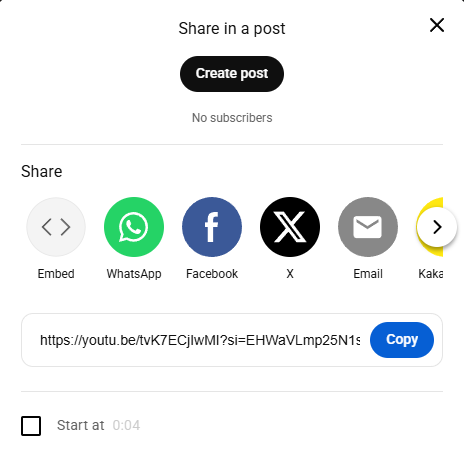
1. Copy the YouTube URL First, find the video you want to convert. Go to YouTube, find the video, and copy the link from the address bar (or click "Share" and copy the link).
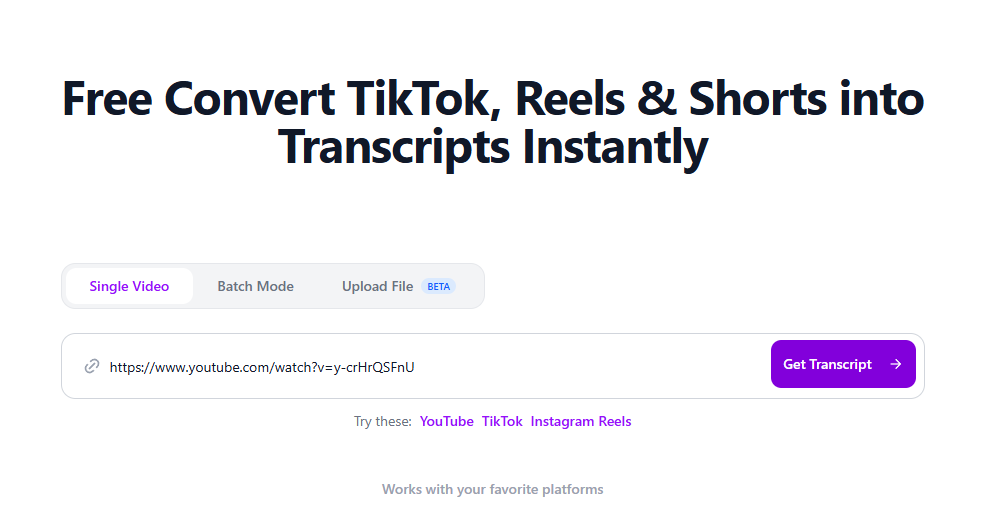
2. Paste into GetTheScript Open GetTheScript.app. Find the input box on the homepage. Paste your YouTube link there. You don't need to sign up or log in.
3. Get the Text Click the "Get Script" button. The tool will process the link instantly. Within moments, the full text of the video will appear on your screen. You can then copy it to your clipboard.
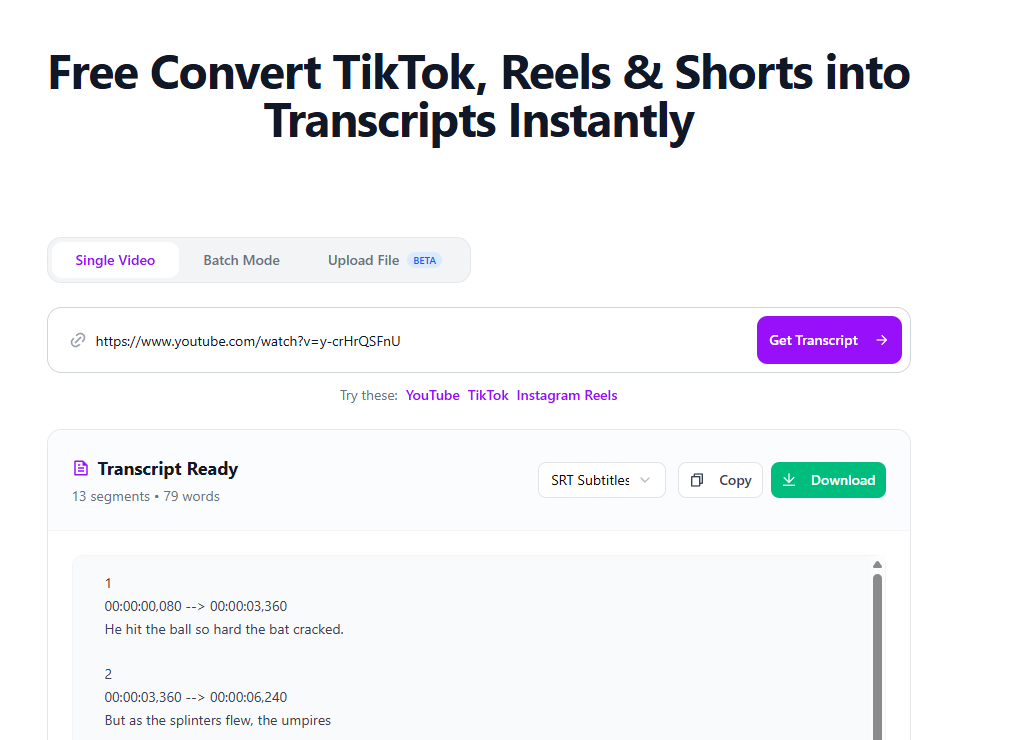
By doing these steps, you can easily change Video to Text with GetTheScript. This saves you hours of manual typing.
Tips for Making Sure It's Right
When you extract text from videos, getting it usable is important. Here are some tips to help you handle the text.
Clean Up with AI Raw transcripts often contain filler words like "um," "ah," or repeated phrases. A great tip is to copy the raw text from GetTheScript and paste it into ChatGPT or Claude with the prompt: "Please clean up this transcript and summarize it into bullet points." This makes the text readable instantly.
Checking Technical Terms Auto-generated captions can sometimes mistake specific names or technical jargon. Always scan the text for proper nouns (names of people, companies, or software) to ensure they are spelled correctly.
Utilize Timestamps If you are using the text for video editing, pay attention to the flow. Ensure that the text blocks correspond to the scenes in your video.
By using these tips, you can turn a raw script into a polished piece of content.
Other Tools You Can Use
If you need to convert audio or video to text, there are other free tools online. Let's look at some options and what they do.
YouTube Native Transcript
- Features: YouTube has a built-in "Show Transcript" button under the video description.
- Pros: It's built-in.
- Cons: It is difficult to copy-paste (often includes timestamps on every line) and has a small viewing window.
- How to use: Go to Description > Show Transcript > Toggle timestamps > Copy manually.
Google Docs Voice Typing
- Features: Listens to audio and types it out.
- Pros: Free and integrated into Google Workspace.
- Cons: You must play the video out loud for the microphone to hear it. It is slower (real-time) and less accurate with background noise.
- How to use: Tools > Voice Typing > Play Video.
Otter.ai
- Features: Excellent for meeting notes and interviews.
- Pros: Very smart speaker identification.
- Cons: It is designed for live meetings or audio uploads, not specifically for YouTube links. The free version has minute limits.
- How to use: Sign up > Upload Audio > Wait for processing.
Comparison Each tool has good and bad points.
- Use Otter.ai for meetings.
- Use Google Docs for dictation.
- Use GetTheScript specifically for YouTube videos because it is the fastest way to get text without downloading files.
Changing YouTube videos to text makes your content easier to manage. You now know how to do it easily. When picking a tool, think about your source. For YouTube links, GetTheScript is the most direct solution. Try converting your first video today and see how much time you save!